Friday, November 7, 2014

Fair Use in Instruction

Fair Use in Instruction

The TEACH Act

Copyright law provides educators with a separate set of rights in addition to fair use, to display (show) and perform (show or play) others' works in the classroom and it applies to any work, but these provisions did not help distance education much until the TEACH Act passed in 2002. Before this law passed, Fair Use did not apply to classes conducted through distance learning. The TEACH Act helped extend the same tools to distance education. 

The provisions of both of these allows teachers to use good, up to date resources, research, movies and publications in the classroom in order to provide a meaningful classroom experience. Without this, teachers would be forced to self-create the majority of their materials, which would prove to be both time and cost prohibitive. 

My advice: Why reinvent the wheel when it is not necessary??

Open Educational Resources

Open Educational Resources


 OER are teaching, learning, and research resources that are in the Public Domain. Sometimes they have been released under an intellectual property license that allows them to be used by others for free. Open educational resources include full courses, course materials, modules, textbooks, streaming videos, tests, software, and any other tools, materials, or techniques used for education.

Creative Commons Licenses: 

All Creative Commons licenses have many important features in common. Every license helps creators — we call them licensors if they use our tools — retain copyright while allowing others to copy, distribute, and make some uses of their work — at least non-commercially. 

Attribution: 
This license lets others distribute, remix, tweak, and build upon your work, even commercially, as long as they credit you for the original creation. 

Attribution-Share Alike 
This license lets others remix, tweak, and build upon your work even for commercial purposes, as long as they credit you and license their new creations under the identical terms.
Attribution-NoDerivs 
This license allows for redistribution, commercial and non-commercial, as long as it is passed along unchanged and in whole, with credit to you.
Attribution-NonCommercial-ShareAlike 
This license lets others remix, tweak, and build upon your work non-commercially, as long as they credit you and license their new creations under the identical terms.
Attribution-NonCommercial 
This license lets others remix, tweak, and build upon your work non-commercially, and although their new works must also acknowledge you and be non-commercial, they don’t have to license their derivative works on the same terms.
Attribution-NonCommercial-NoDerivs 
This license is the most restrictive of our six main licenses, only allowing others to download your works and share them with others as long as they credit you, but they can’t change them in any way or use them commercially.

Romeo and Juliet with Prezi

An example of using Prezi for the classroom: 


http://prezi.com/jfjufkxz5dyo/?utm_campaign=share&utm_medium=copy


Thursday, November 6, 2014

Web Tools

Web tools:


Web Presentation tools: (Ways to show information in creative, interactive ways)

Prezi -- A great way to make a multi level interactive presentation


Web Reference tools: (Ways to get help with research and essay writing)

EasyBib -- A good reference for creating great works cited pages, documenting references and learning MLA and APA style. 


Creative tools-- (Tools that provide catchy ways to organize information and get the learner's attention)

IMGflip -- good for creating memes and interesting texts

Good / Bad Online learning

Lessons online can vary from platform to platform, teacher to teacher and lesson to lesson. Students can be drawn in by flashy graphics, but can be easily distracted by confusing text. This defeats the purpose. If the information is not created in small digestible "chunks" and in text that is easily viewed and understood, then the lesson has failed. Most likely, your intended audience will not absorb the information you intended to teach.
Here are some examples of good material and bad material.

Good material:

1. Organelles lesson from CK-12
http://www.ck12.org/life-science/Organelles-in-Life-Science/lesson/Organelles/

Organelles of a eukaryotic cell The website provides descriptions of the cells organelle's in small descriptions with links to more information. It also provides a visual diagram for reference.

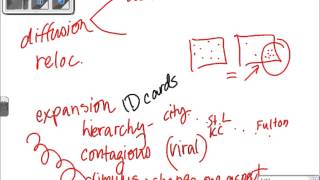
2. Youtube link for Jen West's AP Human Geography midterm review. This lady knows her stuff. She makes very complex concepts easy to understand. She uses graphic organizers, documents on a document camera, pictures and descriptions that are catchy and meaningful.
http://youtu.be/VX9XexxD17M


3. Cool Math Games
The website is interactive, and provides great practice. Students almost forget they are learning. They are generally much more appropriate for younger learners due to easier content, but not always.

4. Rosetta Stone
I have been very impressed with the interactive, multi-modal lessons from Rosetta Stone. The software has been through a public marketing push, but in this case, I believe that the praise is well founded. I have watched the program evolve over a period of 15 years, and it continues to improve. I have used this program for many different languages including English for English Language Learners. Now they have even added a GAMES function.
Image result for rosetta stone

5. Coursera  -- Evolution ( A course for educators)
Not bad. The lessons are well written. Not too much "grey space". Lots of writing in a small typefont can be intimidating. Good graphics from American Museum of Natural History are included.


I wouldn't necessarily say BAD material, but more like meh... 

1. Mountain Heights Academy - Demo for 11th grade English week 1
http://ohsudev.mrooms3.net/course/view.php?id=174

Most of the instruction was online lecture. I don't care who you are or where you are (online or live)-- lecture is BAD in large doses. The link for the sliderocket instruction for Writing Tips didn't work either.

2. Edgenuity - English
A lot of the material is ok,,, but just OK. A lot of the students just play the lectures but do not listen or take notes. They move directly into the classwork and then do poorly. There is "online content" that is included sometimes, but it isn't always explanatory. On a positive note, much of the online content and instructions can be translated into other languages, which is very beneficial for English Language Learners.


Unit Map

Sample of a Unit Map using Bubbl.us


Time Management Tools

Time is always running out and we always seem to have too much to do. As a busy mom of three girls, my calendar stays full with school functions, soccer practice, church events... The list goes on and on...

Here are a list of five tools I have found that can assist with better time management: 

Google Calendar: 

I have enjoyed having this one. As I add events to my calendar on my iphone, it also creates a Google calendar event. Not only can I set an alarm to go off on my phone to remind me of the event, I can also have a reminder emailed to me!


Outlook Calendar reminders: 

Currently, my school system uses Outlook as its email platform. Although they are getting ready to make the switch to Google, using Outlook calendar reminders have been useful. I am able to create a meeting and send out a calendar reminder to all those involved. I can also view the information by the month, week or day. Meeting invitees can accept or decline the meeting online. Right now, our entire school's activity calendar is contained in Outlook Calendar. (Which is informative, but can make things a bit cluttered.)

Remember the Milk: 
Remember The Milk
If you are struggling to manage everything you have to do and you work with many different devices, this app is for you. It is a great free tool which is compatible with your mobile, computer, Gmail, outlook, etc. It helps you to manage your tasks easily and reminds you of them wherever you are.


Evernote: 

Evernote Logo
According to their website, "From short lists to lengthy research, no matter what form your writing takes, Evernote keeps you focused on moving those ideas from inspiration to completion." 
Evernote is a free productivity tool that allows you to capture all your ideas, thoughts and images in many different ways, eg with voice, notes or images.  You can even record your meetings, interviews, speeches and ideas, create lists, add voice or text attachments and share your files with friends. Now you can also sync Remember The Milk with Evernote to really optimize your time.

Toggl: 

This is a great alternative to time-sheets if you need to track how much time you spend on different projects. Effective time management starts with being clear on exactly how much time you actually spend on your projects and tasks, and then analyze how you can manage them more effectively. The website touts its program stating, "Insanely simple time tracking. Toggle kills timesheets." The catch is, unlike these other programs, Toggl isn't free. The regular subscription is $5/month.